Firmware update
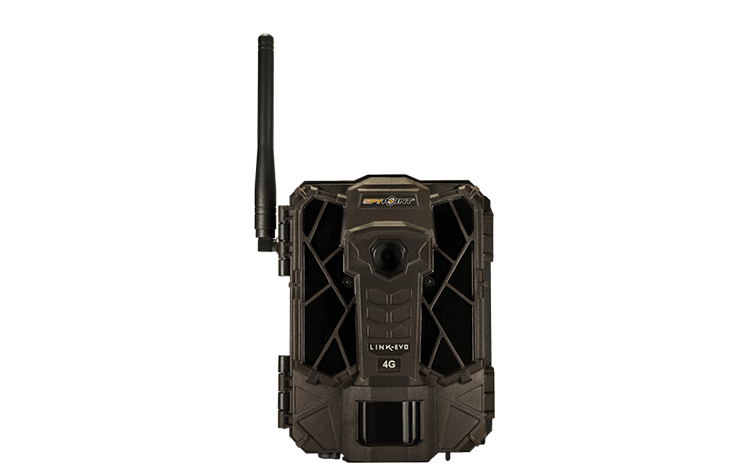
LINK-EVO
Cellular trail camera
- Version: V2.11.35-77
- Date: 2021-07-14
- Improvements:
- Improved quality image by day.
Installation instructions (PC)
- Format the SD card.
- Download the update file from our website
- Open the downloaded .zip file by double-clicking on it.
- Extract the 5 files from the .zip file.
- Copy the 5 extracted files onto the SD card.
- Eject the SD card from the computer.
- Make sure the camera is turned OFF.
- Insert the SD card into the camera.
- Turn the camera on and wait 2 minutes.
- Turn Off the camera and remove the power (AA batteries and 12V).
- Reinstall the power (AA batteries and 12V).
- Turn the camera on and the camera will enter in the connection process by itself. This step can take few minutes.
Installation instructions (MAC)
- Make sure to use a SD card class 10/U1 up to 32GB.
- Format the SD card on your computer (Format:MS-DOS(FAT)).
- Download the update file from our website.
- Double-click on the .zip file.
- Open the camera name folder.
- Copy the 5 files from the .zip file onto the SD card.
- Verify the copy has been successful on your SD card.
- On the SD card, right-click on MacOS_PrepareSDCard.command and select open with terminal to run the file.
- Eject the SD card from the computer.
- Make sure the camera is turned OFF.
- Insert the SD card into the camera.
- Turn the camera on and wait 2 minutes.
- Turn Off the camera and remove the power (AA batteries and 12V).
- Reinstall the power (AA batteries and 12V).
- Turn the camera on and the camera will enter in the connection process by itself. This step can take few minutes.
Verification
Confirm the update was successful:1. Upon the next sync of the camera, access the “Status” tab in the SPYPOINT LINK app.
2. Under “General Information”, the version number will appear, for example: V2.10.33
If you do not have the correct version, redo the firmware update with another SD card. Make sure to use an SD card up to 32GB of class 10/U1 and don't use a microSD card with an adaptor.


