Knowing how many deer use a property can help hunters make better decisions all season long.
It can shape where you hang stands, how you manage food plots, how you think about buck-to-doe ratios, and how you compare deer activity from one year to the next. It can also help you understand whether your hunting property is holding more or fewer deer than expected.
A trail camera survey will not give you a perfect census. Deer move, home ranges overlap, and camera coverage is never complete. But with a consistent setup and enough cameras in the right places, SPYPOINT cellular trail cameras can help you build a useful estimate of deer population numbers on a piece of property.
The key is to run the survey the same way across the entire property, organize your images, and use tools like BUCK TRACKER™ AI to make sorting buck and antlerless deer images easier.
Why Use Cellular Trail Cameras for Deer Surveys?
Cellular trail cameras are ideal for deer population surveys because they let you monitor activity without constantly walking into the property.
Every trip to check an SD card leaves scent, creates disturbance, and can affect deer behavior, especially near food sources, bedding cover, or travel corridors. With SPYPOINT cellular trail cameras, photos are sent directly to the SPYPOINT app, allowing you to review activity remotely and keep the survey area as undisturbed as possible.
That is especially useful when trying to count deer. The less you disturb the property, the more natural your deer movement data will be.
How Many Cameras Do You Need?
Camera density matters. Too few cameras can miss entire sections of the property, while too many cameras can create duplicate photos and make sorting harder.
Many traditional baited camera survey methods use about one camera per 100 acres. Mississippi State University Extension notes that research on tagged deer populations showed 90% of deer were photographed during 14 consecutive survey days when using a camera density of one camera per 100 acres.
That can work well for larger properties where baiting is legal and the goal is to run a structured survey. The University of Missouri Extension also describes camera surveys as a way to monitor deer density, age structure, sex ratio, and fawn recruitment, while noting that baited camera surveys may not be appropriate in areas with CWD-related baiting restrictions.
For hunters trying to understand deer use on a smaller property, or for anyone running a non-baited survey, more cameras may be helpful. A practical hunting-property approach is to start with one camera for every 25 to 50 acres, then adjust based on terrain, cover, food sources, and how deer move through the area.
As a general guide:
40 to 80 acres: 3 to 4 cameras
80 to 150 acres: 4 to 6 cameras
150 to 300 acres: 6 to 10 cameras
300 acres or more: 1 camera per 50 to 100 acres, adjusted for habitat and survey style
Habitat matters as much as acreage. A square 100-acre farm with open fields and defined travel routes may need fewer cameras than a broken property with timber blocks, creek bottoms, food plots, bedding cover, and multiple access points.
The goal is not to cover every inch. The goal is to cover the places deer are most likely to pass through consistently.
Where to Place Cameras
For a deer population survey, place cameras where deer naturally concentrate or travel.
Good locations include:
Food plots
Feeders or bait sites where legal
Mineral sites where legal
Field edges
Creek crossings
Fence gaps
Major trail intersections
Pinch points
Oak flats or primary feeding areas
Edges between bedding cover and food sources
If baiting or mineral use is legal in your area, placing cameras over a consistent attractant can help increase the number of deer photographed and improve your survey sample. Always check local hunting regulations before using bait, feed, minerals, or attractants.
If you are not using an attractant, focus on major travel corridors and feeding areas. In that case, camera placement becomes even more important because deer may not stop directly in front of the camera.
Mount cameras about waist to chest high, usually 3 to 4 feet off the ground, and angle them slightly downward toward the target area. Avoid pointing cameras directly east or west if possible, as sunrise and sunset glare can reduce photo quality.
Why the FLEX-M2 Is a Strong Survey Camera
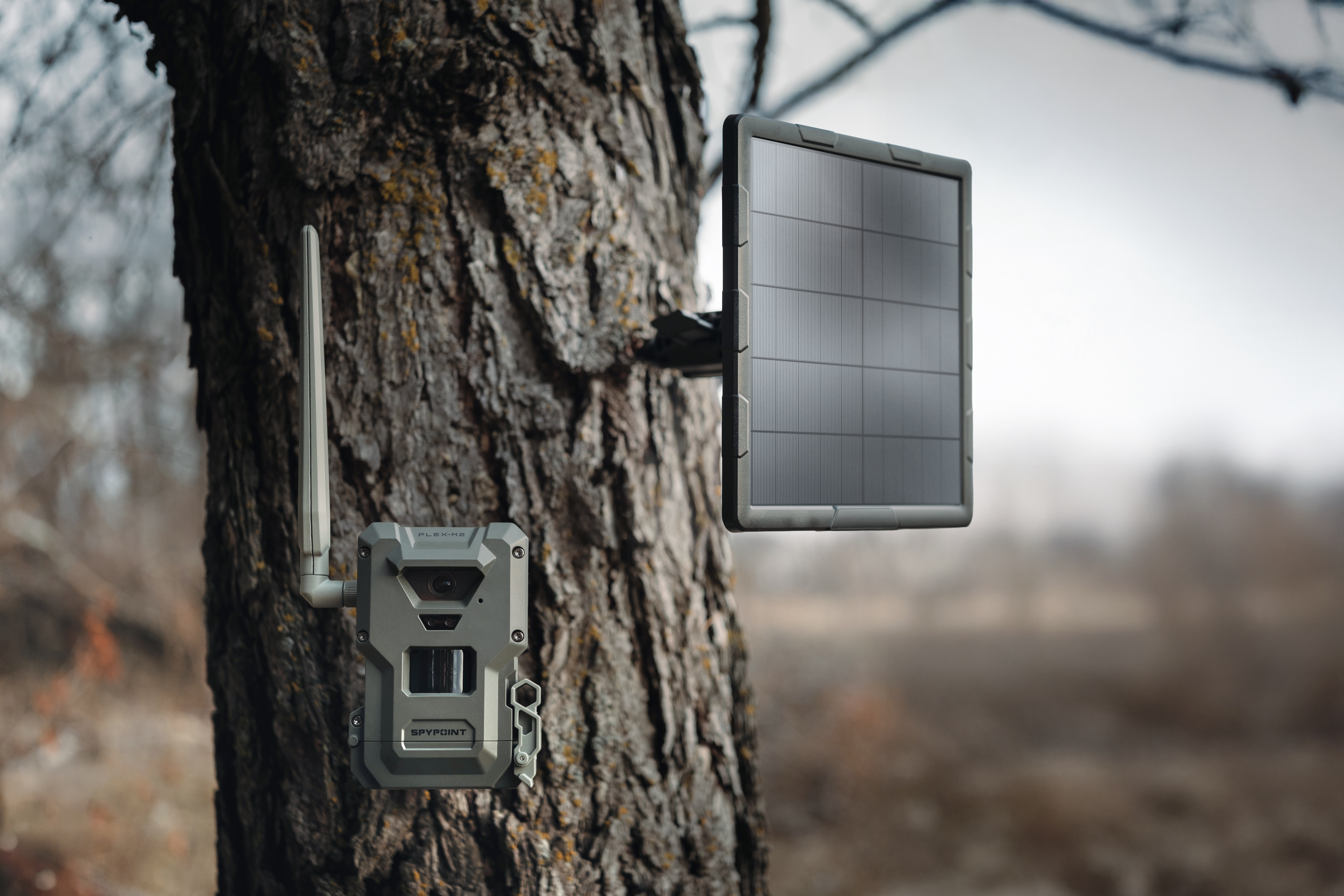
The new SPYPOINT FLEX-M2 is a strong option for deer population surveys because it gives hunters reliable cellular scouting features at an affordable price point.
With 32MP photos, 1080p video with sound, a 0.4-second trigger speed, Dual-SIM technology, a 90-foot flash range, and a 90-foot detection range, the FLEX-M2 is built to cover key survey locations like food plots, field edges, feeders, travel corridors, and pinch points.
The FLEX-M2 also works with the free SPYPOINT app, allowing hunters to receive photos remotely, request full-HD photos and videos, manage settings, and use BUCK TRACKER™ AI to help filter photos and videos. For a survey that may include hundreds or thousands of deer images, that sorting ability can save time and make the review process easier.
Camera Settings for a Deer Survey
Consistency is important. Use the same settings across all cameras whenever possible so your data is easier to compare.
For most deer population surveys, Photo Mode is the simplest option. Photos are easy to review, help conserve plan usage, and make it easier to count deer across multiple cameras.
However, Video Mode can also be a strong choice with SPYPOINT cellular trail cameras. When a camera is set to Video Mode, each video detection provides a 3-image preview in the SPYPOINT app. That gives you more context than a single image and can help you better identify bucks, count antlerless deer, and understand how many deer were actually in front of the camera during the detection. If you need to see more, you can also request the full video download.
Just keep in mind that each video detection uses three photos from your plan, and downloading the full video requires an add-on. Because of that, Video Mode may be best for key survey locations where extra detail is worth the added plan usage.
Recommended settings:
Mode: Photo for basic surveys, or Video Mode for key locations where more detail is helpful
Multi-shot: 2 to 3 images per trigger when using Photo Mode
Detection delay: 5 to 10 minutes over bait, mineral sites, or feeders
Detection delay: 30 seconds to 2 minutes on trails or travel corridors
Sensitivity: Normal or medium
Transmission frequency: At least once daily, or more often if you want to monitor results throughout the survey
Time and date stamp: On
Camera name/location: Clearly labeled in the SPYPOINT app
If deer are staying in front of the camera for long periods, such as at a feeder or food plot, a longer delay can reduce duplicate detections. If the camera is on a trail or crossing where deer move through quickly, a shorter delay can help capture more individual animals.
The key is to avoid changing settings halfway through the survey. Keep everything consistent until the survey period is complete.
How Long Should You Run the Survey?
A good deer camera survey should run long enough to capture repeat activity, but not so long that changing food sources, weather, or hunting pressure alters the data too much.
A practical survey window is 10 to 14 days. The Oklahoma Department of Wildlife Conservation recommends running camera surveys for 10 to 14 days, while Mississippi State University Extension references 14 consecutive survey days in its camera-density research.
If you are using bait, feed, or minerals where legal, consider giving deer a few days to find and use the site before starting your official count. Once activity becomes consistent, begin the survey and run it for the same length of time across all cameras.
For best results, avoid moving cameras during the survey. If one camera location is not producing, make a note of it and adjust after the survey ends.
Using BUCK TRACKER™ AI to Sort Images
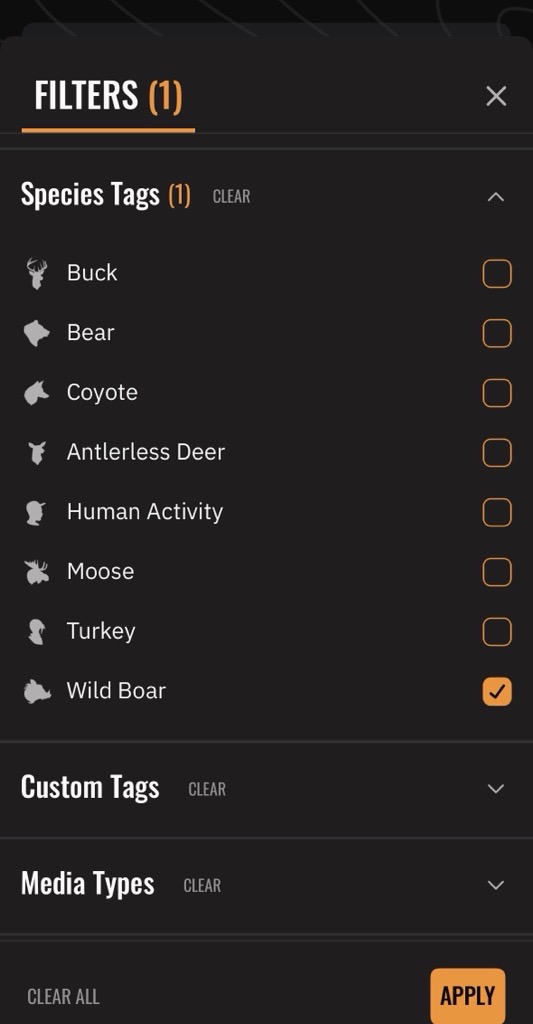
One of the biggest challenges with a deer survey is sorting through hundreds or thousands of photos. That is where BUCK TRACKER™ AI in the SPYPOINT app can help.
BUCK TRACKER™ AI can automatically filter photos and videos to help users sort buck images, making it easier to identify and review buck activity without scrolling through every photo one at a time. For SPYPOINT Insiders Club members, BUCK TRACKER™ AI becomes even more powerful with access to all eight species filters, including antlerless deer. That added sorting ability can help separate buck and antlerless deer activity, making the survey review process faster and more organized.
For population estimates, this matters because you need to organize the images into useful groups.
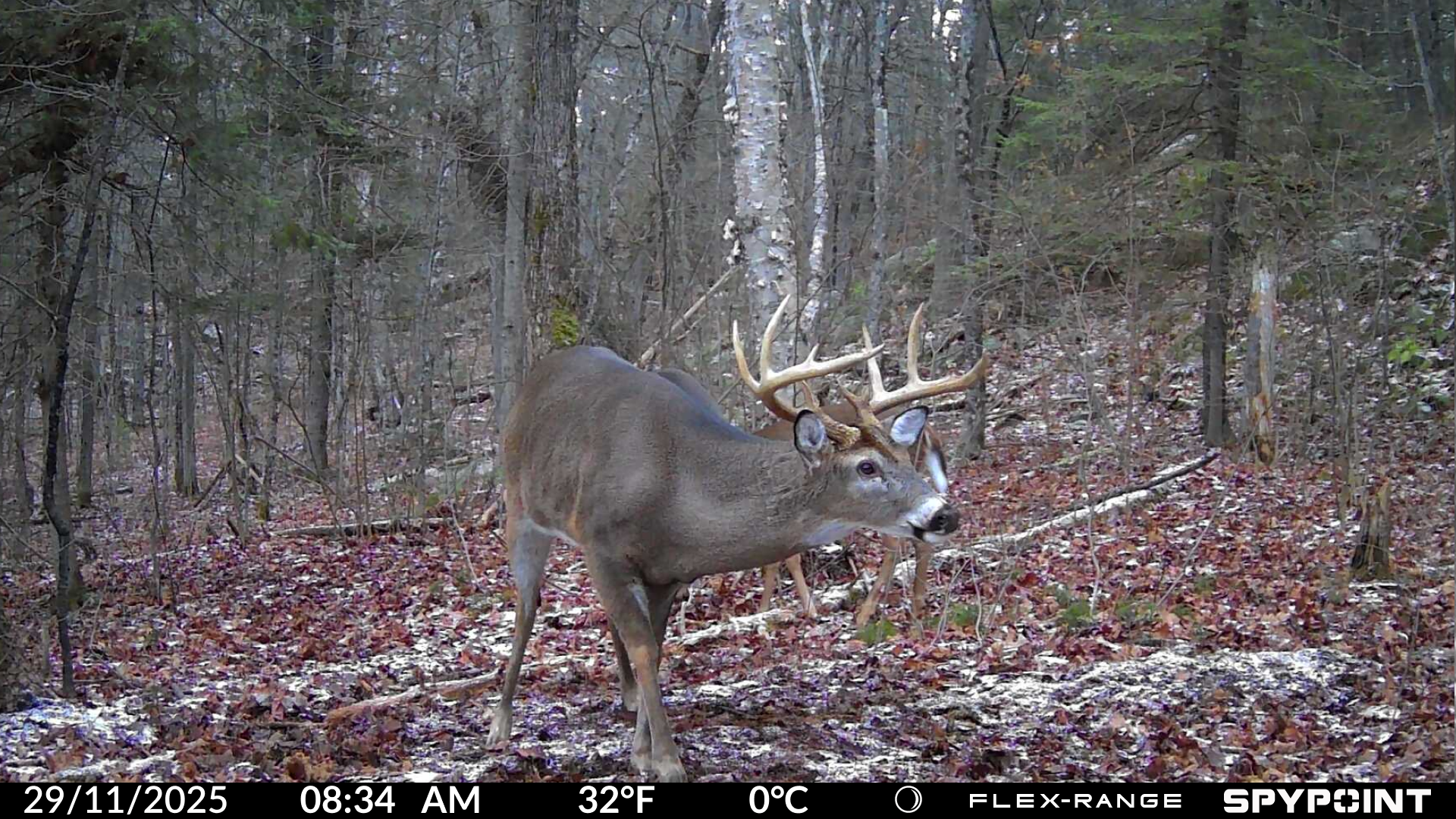
Start by identifying unique bucks. Bucks are usually easier to tell apart because of antler shape, spread, tine length, body size, and unique markings. Mississippi State University Extension and University of Missouri Extension both note the importance of identifying individual bucks by antler and body characteristics during camera surveys.
Save or tag the clearest photos of each buck so you can avoid counting the same deer multiple times.
Antlerless deer are harder to identify individually, but sorting antlerless images still helps you estimate doe and fawn activity. Look closely at body size, head shape, group behavior, and time stamps to help separate adult does from fawns when possible.
BUCK TRACKER™ AI does not replace careful review, but it can greatly reduce sorting time and help hunters focus on the images that matter most.
How to Estimate the Deer Population
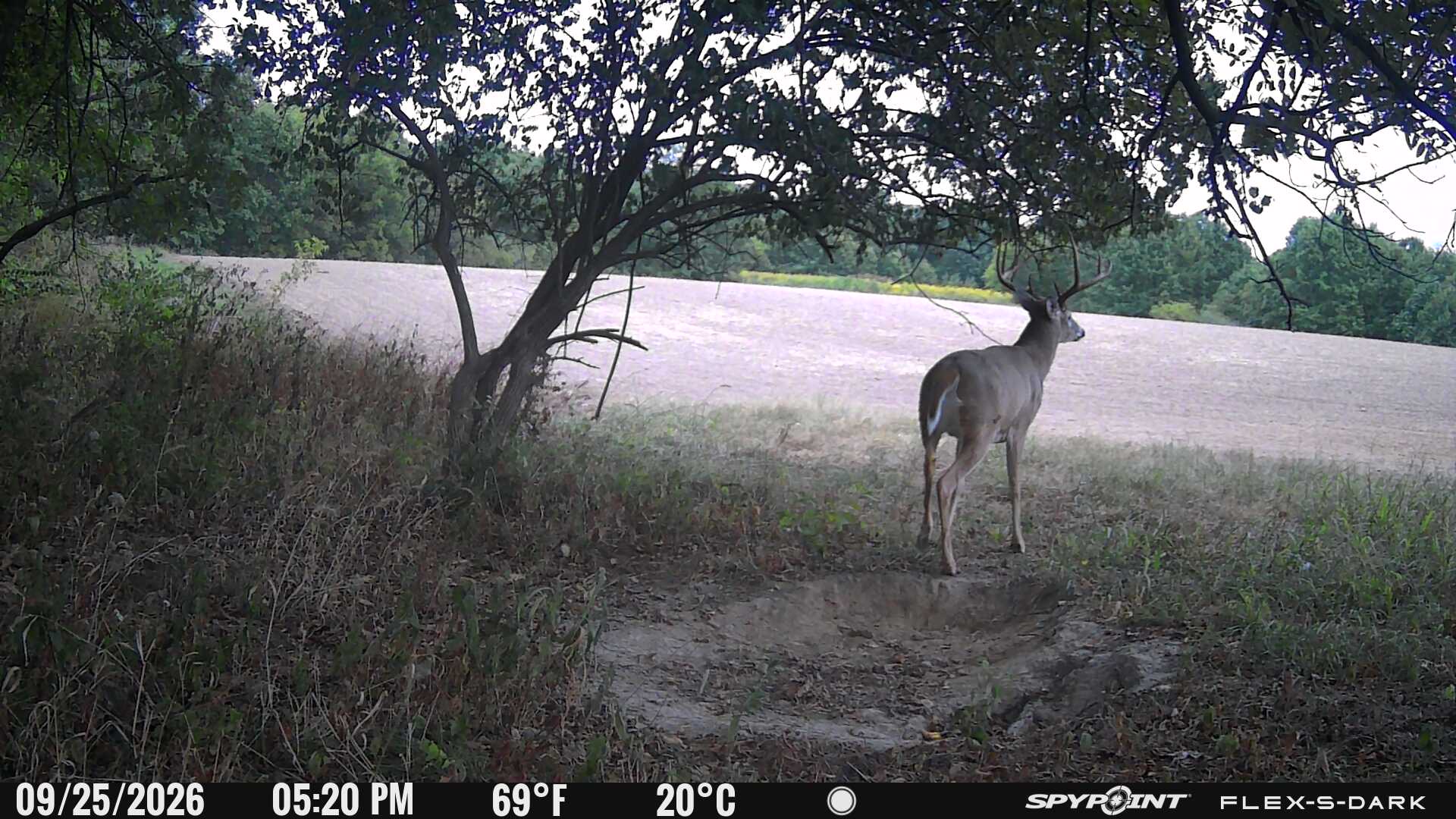
Once the survey is complete, start by counting the number of unique bucks photographed across all cameras.
Then review your antlerless deer images and estimate the doe-to-buck ratio based on photo activity. Camera surveys are commonly used to estimate herd characteristics such as deer density, sex ratio, and fawn recruitment, which can help hunters and land managers better understand the deer using a property. (University of Missouri Extension)
For example, if you identified 10 unique bucks and your photos show roughly twice as much adult doe activity as buck activity, you may estimate a 2-to-1 doe-to-buck ratio.
In that example:
10 unique bucks
Estimated 20 adult does
Estimated 10 to 15 fawns, depending on fawn activity and visibility
That would suggest an estimated population of 40 to 45 deer using the surveyed area.
To estimate deer density, divide the estimated number of deer by the number of acres and multiply by 100.
For example, if you estimate 45 deer on 300 acres:
45 divided by 300 = 0.15
0.15 x 100 = 15 deer per 100 acres
This is still an estimate, not an exact count. Some deer will be photographed multiple times, while others may not be photographed at all. But when repeated year after year using the same methods, the survey can reveal valuable trends.
Penn State’s Deer-Forest Study also notes that trail cameras can be used to estimate deer populations but emphasizes that camera-based estimates come with assumptions, best practices, and potential pitfalls. (Penn State Deer-Forest Study)
When Is the Best Time to Run a Deer Survey?
The best time to estimate deer numbers is usually late summer into early fall, before hunting pressure increases and before the rut changes normal movement.
Late summer is a strong survey window because bucks are easier to identify by antler characteristics, deer are often using predictable food sources, and family groups are more visible. In many areas, deer movement is tied closely to summer feeding patterns, making it easier to gather consistent camera data.
Early fall can also work well, especially before major hunting pressure begins.
The rut is usually not ideal for population surveys because bucks may travel widely, leave their core areas, or appear on properties where they are not normally living. This can inflate buck numbers or make the data harder to interpret.
Postseason and winter surveys can also be useful, especially for estimating how many deer remain after hunting season. However, bucks may have shed antlers, food sources may shift, and winter stress can concentrate deer in ways that do not reflect fall movement.
Each season tells you something different:
Late summer: Best for overall population estimates and buck identification
Early fall: Good for preseason inventory
Rut: Better for seeing new bucks, not ideal for population estimates
Postseason: Good for survival estimates and winter herd use
Spring: Less useful for buck counts, but helpful for general deer presence and habitat use
For most hunters, late summer through early fall is the best time to run a camera survey.
Make the Survey Repeatable
The real value of a deer population survey comes from repeating it.
If you run the same survey every year, during the same general time frame, with similar camera placement and settings, you can start to see trends. You may notice buck numbers improving, doe numbers increasing, fawn recruitment changing, or certain areas becoming more or less productive.
That information can help guide stand placement, food plot planning, harvest goals, and overall property management.
Better Data Leads to Better Decisions
Estimating deer population numbers is not about getting a perfect count. It is about getting better information.
With enough cameras, smart placement, consistent settings, and a repeatable survey window, SPYPOINT cellular trail cameras can help hunters understand how many deer are using a property and how that herd changes over time.
The FLEX-M2 is a strong camera option for this kind of work, and Insiders Club full access to BUCK TRACKER™ AI makes the process even easier by helping sort buck and antlerless deer images so you can spend less time scrolling and more time studying useful data.
The more you know about the deer using your property, the better decisions you can make when the season arrives.